Video Sizes and Safe Zones for TikTok, Reels, Shorts and YouTube
A video that looks perfect on your laptop can end up with black bars, a cropped head or a caption hidden under the "Like" button. Knowing a few sizes and safe zones fixes most of that before you export.
The three shapes you need to know
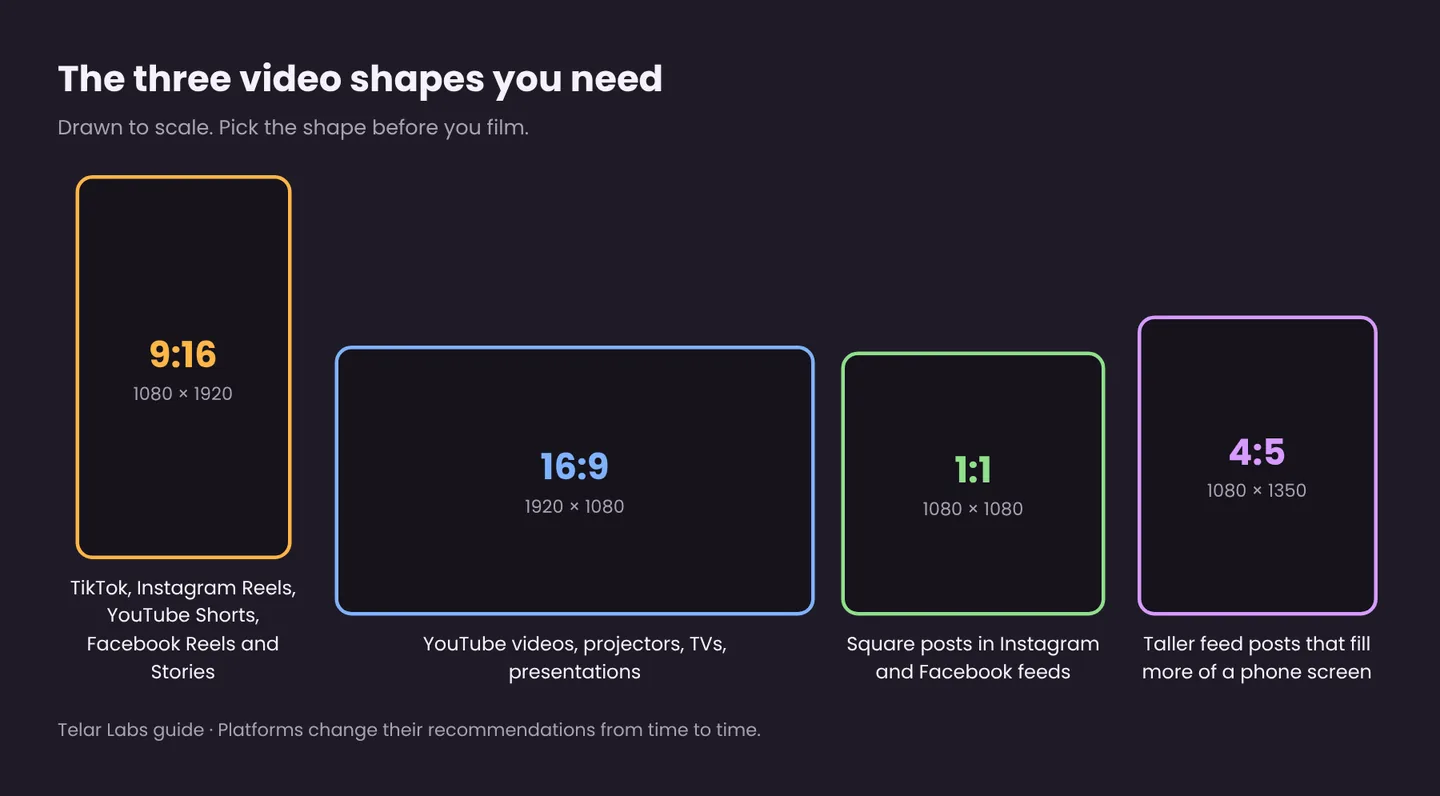
Almost every platform uses one of three shapes. The shape is called the aspect ratio: width compared with height.
- 9:16, vertical. Tall like a phone screen. Recommended size 1080 × 1920 pixels. Used for TikTok, Instagram Reels, YouTube Shorts, Facebook Reels and Stories.
- 16:9, horizontal. Wide like a TV. Recommended size 1920 × 1080 pixels (Full HD), or 3840 × 2160 for 4K. Used for regular YouTube videos, presentations, projectors and most TVs.
- Square and near-square. 1:1 (1080 × 1080) or 4:5 (1080 × 1350). Used for posts in Instagram and Facebook feeds, where a taller post takes up more of the screen than a wide one.
Platforms change their recommendations from time to time, so check each platform's help pages before a big campaign. These sizes have been the standard for several years.
Platform by platform
TikTok
Use 9:16 at 1080 × 1920. Horizontal videos are allowed, but they appear small with large empty bars, and they get noticeably less attention. Keep important text and faces away from the bottom of the screen, where the caption and music name sit, and from the right side, where the like, comment and share buttons are.
Instagram Reels
Use 9:16 at 1080 × 1920. In the main feed and on your profile grid, Reels can be shown cropped to a shorter shape, so keep your main subject and any title near the center. You can choose a cover image that looks good in the grid when you post.
YouTube Shorts
Use 9:16 vertical video. Shorts can be up to three minutes long. As on TikTok, the title, channel name and buttons cover the bottom and right side of the screen.
Regular YouTube videos
Use 16:9 at 1920 × 1080 or higher. YouTube adds bars around other shapes. Design your thumbnail at 1280 × 720 pixels, and remember that the video length appears in the bottom right corner of the thumbnail.
Reels and Stories use 9:16. For posts in the feed, a 4:5 or 1:1 video fills more of the screen on phones than a 16:9 video does.
What are safe zones?
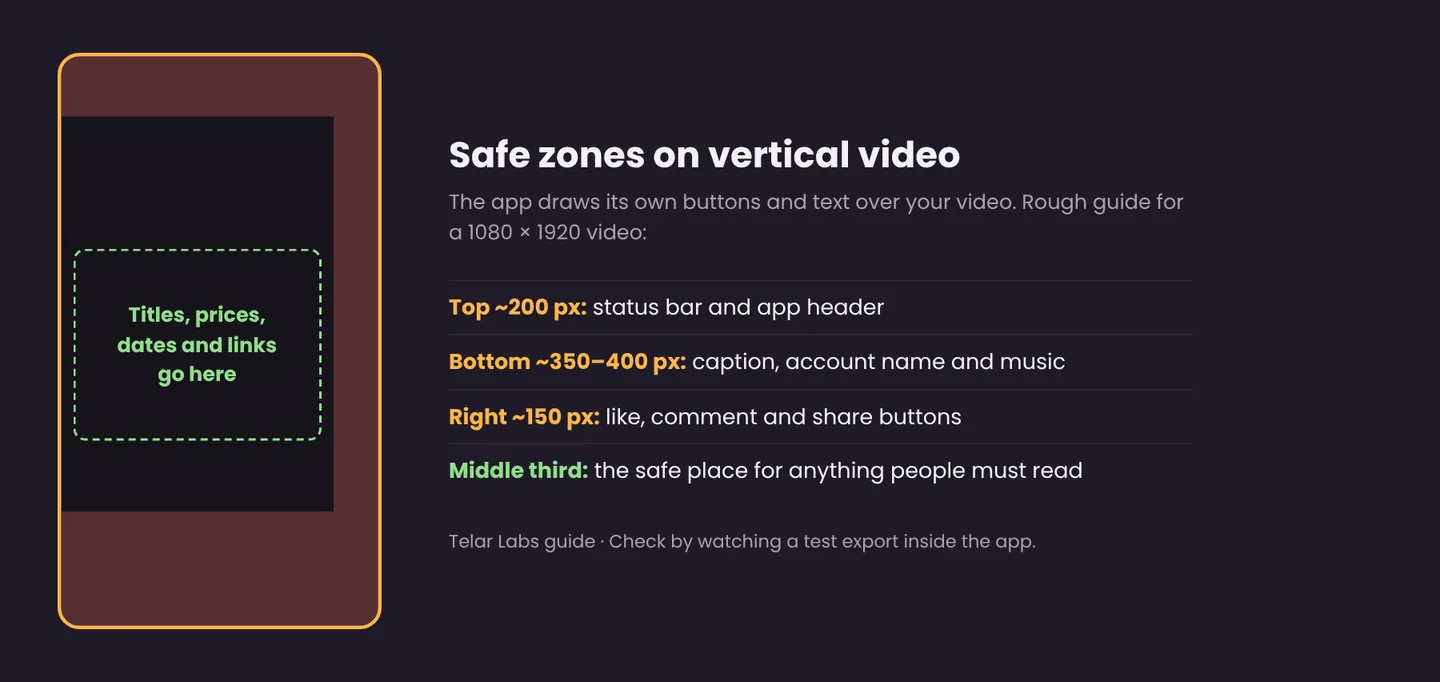
On vertical platforms, the app draws its own buttons and text over your video. A safe zone is the area in the middle where nothing covers your content. As a rule of thumb for a 1080 × 1920 video:
- Keep the top 200 or so pixels free of important text, where the app's top bar and the status bar sit.
- Keep the bottom 350 to 400 pixels free, for the caption, account name and music.
- Keep about 150 pixels clear on the right side, for the buttons.
Place titles, prices, dates and website addresses in the middle third of the screen. A quick way to check: export a test, watch it on your phone inside the app, and pause at each title.
One video, several platforms
Making a separate video for every platform takes time. A few habits let one edit work almost everywhere:
- Film vertically when you can. It's much easier to put a vertical video into a wide frame (with a blurred or animated background behind it) than to crop a wide video into a tall one without losing people.
- Keep the action in the center. If you film horizontally, keep the important action in the middle so a vertical crop still works.
- Fill the empty space with a background. When a wide video goes into a vertical frame, or the other way around, put a looping motion background behind it instead of plain black bars. Free loops like gradients and bokeh lights from Telar Clips work well for this.
- Export a version per shape. Most editors let you duplicate a project and change its aspect ratio. Adjust the titles for each, then export.
Export settings that work almost everywhere
- Format: MP4 with H.264 video and AAC audio.
- Frame rate: 30 frames per second for most content; 60 for fast action like sports or gaming.
- Resolution: 1080 × 1920 for vertical, 1920 × 1080 for horizontal.
- Bitrate: If your editor asks, "high" or "recommended" is usually fine. Platforms compress every upload again anyway.
Quick checklist before posting
- Is the shape right for the platform?
- Is all text inside the safe zone?
- Can the text be read on a small phone screen without zooming?
- Does the first second grab attention, even without sound?
- Did you add captions for people watching on mute?
Get these right and your video will look like it was made for each platform, even when you made it only once.
Spotted a mistake or have a tip to add? Email [email protected]. We update our guides when tools and settings change.