How to Run a Smooth Event Check-In at the Door
The entrance is the first thing every guest experiences, and the place where small events most often fall apart. A little planning turns a long, confused line into a two-minute welcome.
Decide what check-in needs to do
Before choosing how to check guests in, decide what you need from it:
- Stop people without tickets? Then each ticket must be checked and work only once.
- Count attendance? Useful for certificates, sponsors or reporting to your school or church.
- Hand something out? Name tags, wristbands, meal stubs, kits or programs.
- Collect payments at the door? For cash buyers and walk-ins.
Each job slows the line, so split them across different people or tables if you can.
Plan the layout
- One line per checker. As a rough guide, one person scanning tickets can check in a guest every 10 to 20 seconds. For 300 guests arriving in 30 minutes, plan for at least three checkers.
- Separate lines for problems. Put a "Help desk" a few steps to the side for lost tickets, payments and questions, so one problem doesn't hold up everyone behind it.
- Signs. A big sign that says "Have your QR ticket ready" saves more time than anything else.
- Light and power. Make sure the entrance is well lit, and that checkers' phones are charged. Bring a power bank.
Choose a check-in method
Printed list
Cheap and simple, and it works without internet. But searching for names is slow, people with similar names cause mistakes, and it's hard for two checkers to share one list.
QR tickets scanned on a phone
Each guest has a ticket with a unique QR code. The checker scans it and sees right away whether it's valid, already used, or for a different date. It's fast, several checkers can work at once, and it builds an attendance record as you go.
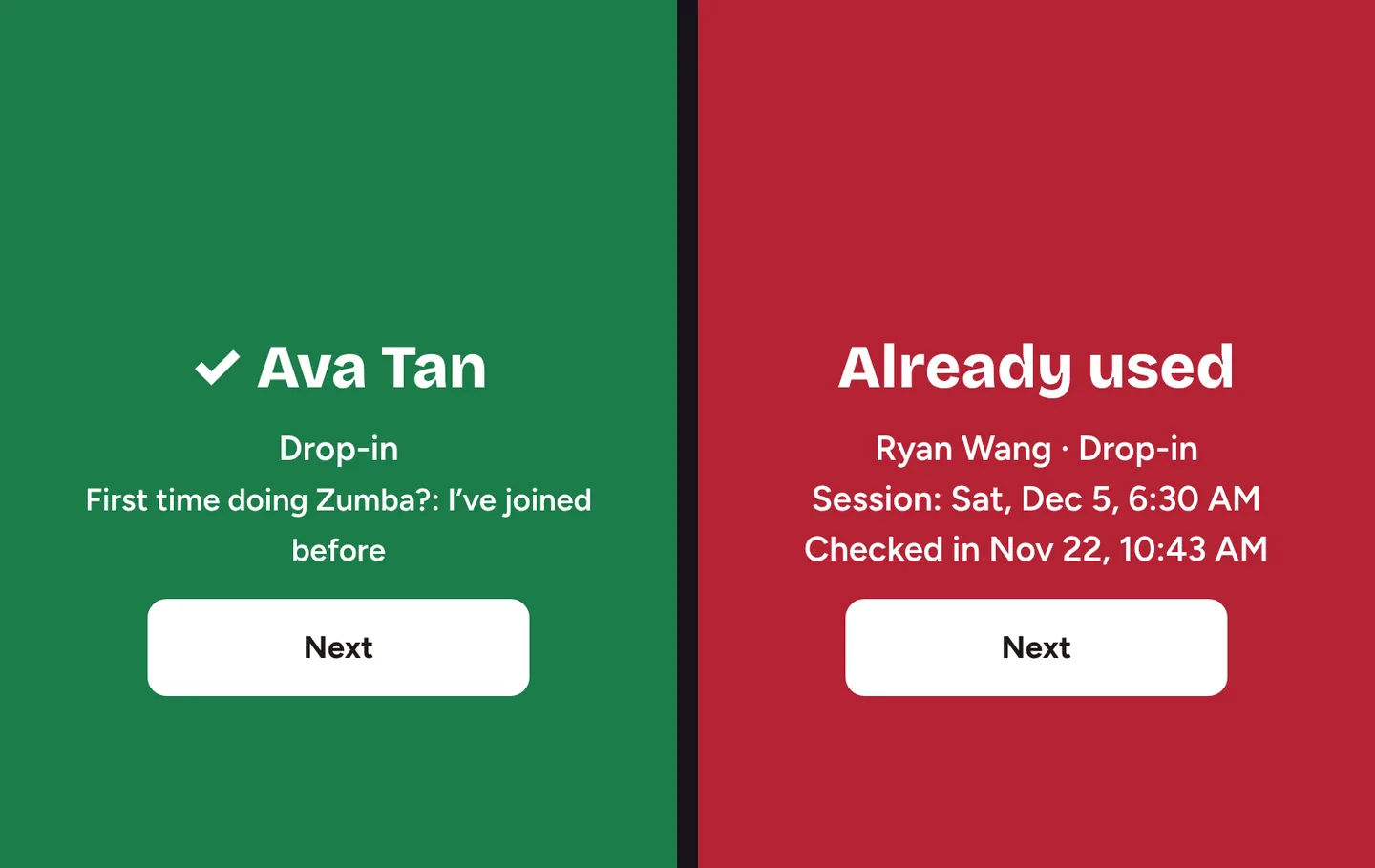
With Tixward, for example, the organizer shares a private door link with each checker. They open it on their own phones, no app needed, and scan tickets with the camera. A valid ticket shows green with the guest's name and ticket type. A ticket that was already used shows red, with the time it was first scanned. For events with several dates or sessions, the checker picks the session they're working, and tickets for other sessions show a warning.
Paper wristbands or stamps
Useful after check-in for events where people come and go, like fairs and festivals. They don't replace checking tickets; they show who has already been checked.
Brief your volunteers
Spend ten minutes with your check-in team before doors open. Cover:
- How to scan, and what green, red and warning results mean.
- What to do when a guest can't find their ticket: search by name or order, check their ID if needed, or send them to the help desk.
- Who decides on exceptions, like a guest with a ticket for tomorrow.
- How to handle walk-ins and cash, if you allow them.
- To smile and greet people. Check-in is the welcome, not a security checkpoint.
Handling common problems
- "I didn't get my ticket." Look up the guest by name. If they paid and the payment was confirmed, let them in and note it.
- "My friend has my ticket." If tickets are linked to names, check ID. Otherwise, the first person to scan the ticket gets in.
- "This ticket was already used." Stay calm. Show the time it was first scanned. Often a friend scanned it earlier, or a screenshot was shared. Send the guest to the help desk to sort it out.
- No internet at the entrance. Check signal at the venue beforehand. Have a printed guest list or sign-in sheet as a backup, and mark guests by hand if needed.
- Phone screen too dim to scan. Ask the guest to turn up the brightness, or type the ticket code in by hand.
Walk-ins and cash at the door
Decide before the event whether you'll accept walk-ins, at what price, and how you'll take payment. Keep cash with one trusted person, use a cash box with a written log, and give receipts if needed. If your ticketing tool records cash sales at the door, use it so your attendance and money totals match at the end of the night.
After the event
- Download the attendance list while it's still available. It's useful for certificates, thank-you messages and planning next year's numbers.
- Count the cash with a second person and record the total.
- Ask your volunteers what slowed the line. Next year's check-in will be faster.
Planning the whole event? See our reunion planning checklist or school fundraiser planning guide.
Spotted a mistake or have a tip to add? Email [email protected]. We update our guides when tools and settings change.