10 Whiteboard Activities for the Projector Classroom
A digital whiteboard is more than a place to write notes. With pictures, pages and colors, it becomes a space for quick, active lessons. Here are ten activities that need little preparation and work for most subjects.
All of these work on any whiteboard app that shows on a projector or TV. Where it helps, we mention how to do it in PizarraPad, our free board. Most activities take five to fifteen minutes.
1. The warm-up question
Prepare one page before class with a single question, such as "What do you think happens to ice in the sun, and why?" or "Find the mistake: 3 × 4 + 2 = 18." Show it as students walk in. It settles the class and tells you what they already know. Write a few of their answers under the question, and come back to the page at the end of the lesson to see what changed.
2. Annotate a picture
Add a photo, diagram or map and have students come up to label it, or call out labels while you write. It works for parts of a plant, a map of your region, a painting in art class, or a graph in economics. In PizarraPad, use the Image tool to add the picture, then write on top of it with the pen or text tool.
3. Fix the paragraph
Type or paste a short paragraph with five mistakes: grammar, spelling, facts or logic, depending on your subject. Students find them in pairs, then come up to correct them using a different color. The highlighter is useful for marking the errors before correcting them.
4. Worked example, then your turn
Solve a problem step by step on one page, explaining as you write. On the next page, put a very similar problem and let students solve it on paper. Then reveal the solution on a third page you prepared earlier. Prepared pages save time, and you can keep them for next year.
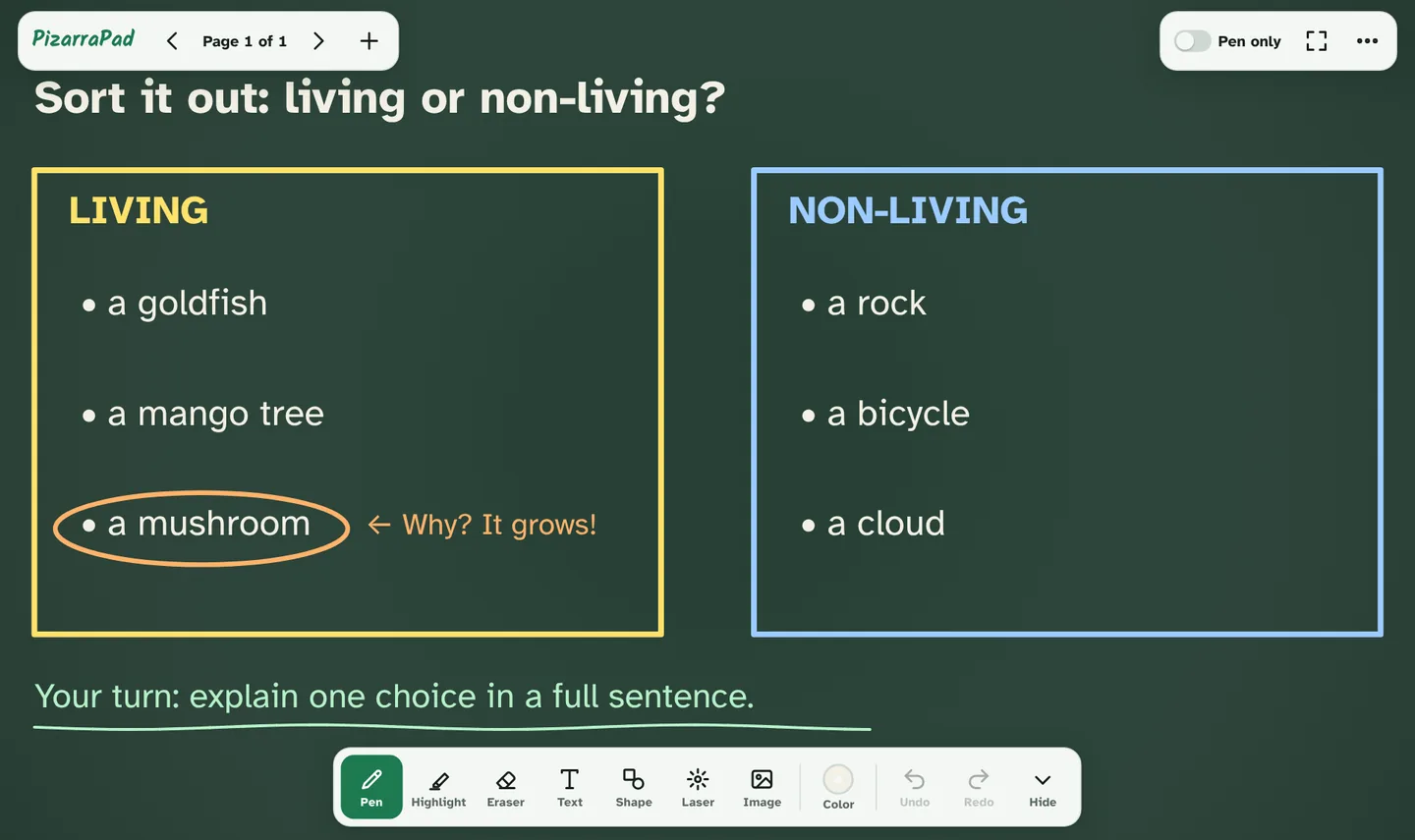
5. Sort it out
Draw two or three boxes with headings like "Living / Non-living", "Fact / Opinion" or "Noun / Verb / Adjective". Write a list of items at the bottom. Students take turns deciding which box each item goes into, and you write it there, or they do. Ask each student to explain their choice in one sentence.
6. Concept map
Write the main topic in the middle of a blank page and circle it. Ask the class for connected ideas and add them with arrows. Use colors for different kinds of links: causes in one color, examples in another. At the end of the unit, compare it with a fresh map to show how much the class has learned.
7. Timed brainstorm
Set a timer for two minutes and ask the class to give as many answers as they can to a prompt: "Ways to save water at home", "Words that describe the sea", "Uses of fractions in daily life". Write every answer quickly, without judging. Then, as a class, circle the best three and talk about why.
8. Spot the difference
Put two versions of something side by side: two sentences, two graphs, two maps from different years, two solutions to the same problem. Students explain what changed and why it matters. This works especially well for teaching revision in writing, or for showing common mistakes in math.
9. Exit ticket on the board
At the end of the lesson, show one last page with a short question that checks the main idea. Students write the answer on a slip of paper and hand it in as they leave. Read a few the next day, and start the next lesson from the most common misunderstanding.
10. Student teachers
Give a group of students five minutes to prepare, then let them explain a step or an idea on the board while the class watches. If you have a tablet with a stylus, pass it to them, or let them use the laptop. Students often explain things to each other in ways that click better than ours.
Tips for smooth lessons
- Prepare pages the night before. Add the questions, pictures and headings, so in class you only need to write answers.
- Keep a page for each class. If you teach the same lesson to several sections, duplicate the prepared pages before each class.
- Save the best pages. Save finished pages as images and share them with absent students, or keep them as next year's examples.
- Mind the back row. Write large, and use light colors on a dark board if your projector is dim.
- Have a plan B. If the projector fails, the same activities work on a regular board or on paper.
Getting started
Pick two activities that fit next week's lessons, and prepare the pages in advance. If you're still setting up the screen, our guide on turning a projector or TV into a classroom whiteboard covers laptops, tablets and phones step by step.
Spotted a mistake or have a tip to add? Email [email protected]. We update our guides when tools and settings change.